
ServerCC

ServerCC Claude Code & Codex on iPhone, iPad & Android

Use Claude Code/Codex on your hosts, anytime, anywhere

The same experience and productivity as on desktop

Even parallel execution

or search ServerCC in the App Store or Google Play

Watch the demo

See it in action
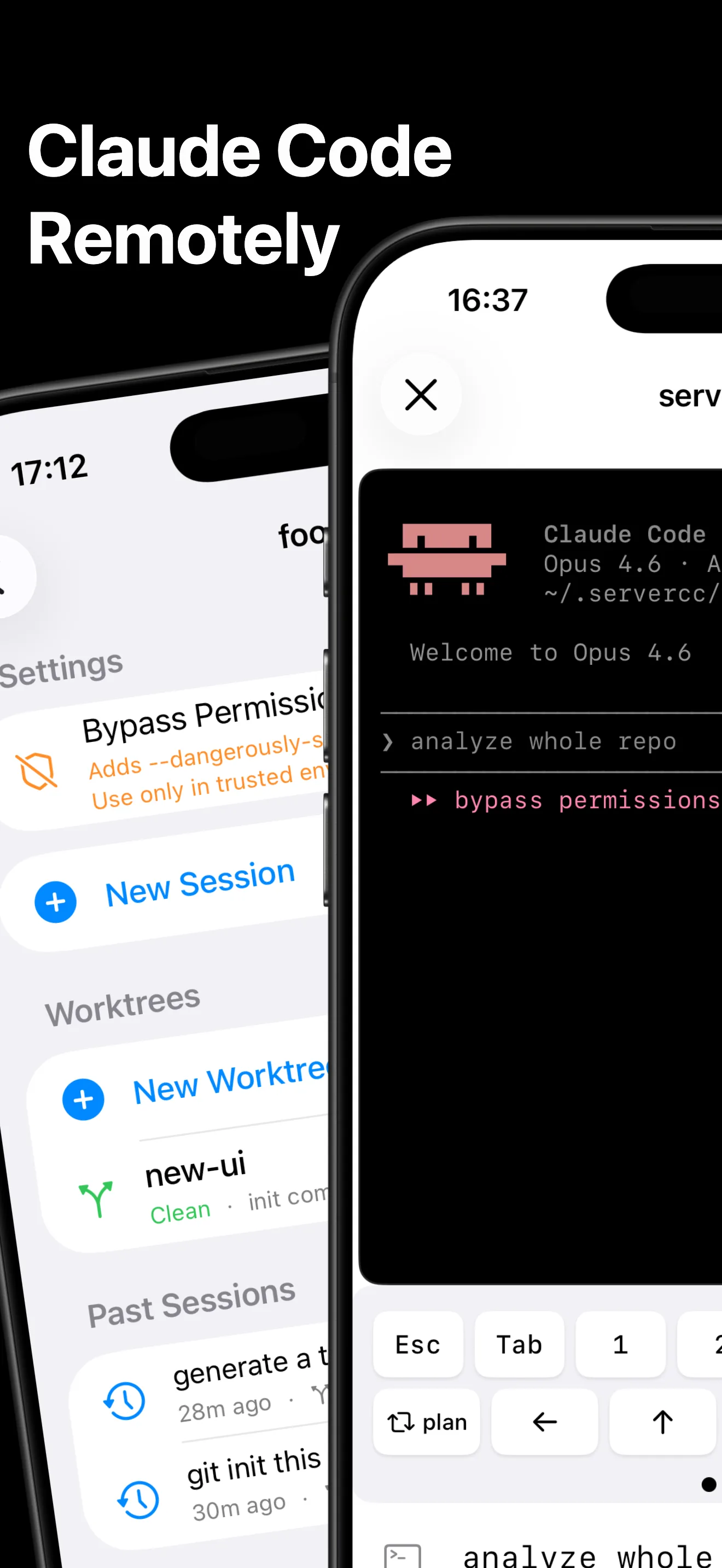
ServerCC on iPhone: a workspace page with Bypass Permissions, New Session, worktrees and past sessions next to a live Claude Code terminal ServerCC on iPhone: the Claude Code terminal continues into a server detail page showing Claude Code installed with its version ServerCC Quick Start on iPhone ending with Try a Sandbox Server: a free temporary sandbox before adding your own server, with Terminal, VNC and Ports tools ServerCC Agents settings on iPhone listing Claude Code, Codex, Grok Build, OpenCode and Kimi Code with toggles ServerCC Claude Code session on iPhone with the same terminal UI as desktop: quick keys, native prompt field, connection status and Files / Skills / MCP tabs ServerCC file browser and Skills manager on iPhone: a project directory tree and the personal Claude skills list ServerCC workspace page on iPhone with a New Worktree button, an existing worktree branch and past Claude Code sessions for parallel work ServerCC Running tab on iPhone showing two Claude Code sessions in parallel on the same server, one working and one waiting for input ServerCC Servers list on iPhone: a host connected over SSH with a green status check and the installed Claude Code version ServerCC server detail page on iPhone: connection status, Claude Code install status and version, Pure Terminal, and a list of workspaces with Add Workspace

Everything you need, on the go

SSH Terminal

Full PTY terminal with VT100/Xterm emulation. Real-time bidirectional I/O with your remote servers.

Claude Code & Codex

Start, resume, and monitor Claude Code and Codex sessions. Built-in OAuth login flow with automatic macOS Keychain unlock for seamless authentication.

Workspace Management

Organize servers into workspaces. Navigate directories and manage files via SFTP.

MCP & Skills

Configure Model Context Protocol servers and manage Claude Skills directly from your device.

Parallel Instances

Run multiple Claude Code/Codex sessions across servers and workspaces simultaneously. Switch between active instances without interrupting ongoing tasks.

Built-in Tailscale

Connect to your Tailscale network with just an auth key. Access private servers directly from the app — no system-wide VPN required.

Auto-Reconnect

Connection pooling with automatic reconnection and session resumption. Stay connected.

Persistent Sessions

Keep Claude Code/Codex running on your server even after closing the app. Reconnect anytime and pick up right where you left off — powered by tmux.

tmux & herdr Takeover

Attach directly to tmux sessions already running Claude Code/Codex on your host — and to agent sessions running in herdr spaces, complete with their state. Take over work you started from desktop or any other SSH client, no restart needed.

Multi-line Edit Mode

Draft long prompts in a full-height editor before sending. Pairs perfectly with voice-to-text keyboards — dictate a paragraph, review it, then send it to Claude or Codex in one shot.

Customizable Quick Commands

Pin your favorite slash commands, keystrokes, and snippets to the second page of the terminal toolbar. One tap, any command — tailored to your workflow.

VNC Remote Desktop

View your coding results in real time while Claude Code works. Connect to macOS Screen Sharing or any VNC server to check UI changes, preview pages, and verify builds — all from your iPhone. Free trial: 2 sessions/day.

What people say

★★★★★ 4.7 · App Store
★★★★★
Really handy to use, and the developer responds fast. Highly recommend.
zekeChin · App Store
★★★★★
Smoother to use than other terminal apps, and the text input is really convenient.
擦夫人 · App Store
★★★★★
Works well, does what it says, many features. A+ app.
bigelowdeuce · App Store
★★★★★
Easy to set up and use. Tailscale solves the local-network problem.
Mr RiceKun · App Store

Frequently asked questions

Is ServerCC free?
Download is free. The free tier includes one server, up to five workspaces, the SSH terminal, sessions for all seven agents, the file browser, Skills, MCP, built-in Tailscale, and persistent tmux sessions on the server. Pro is a one-time purchase or a subscription and unlocks more servers and workspaces, Background Run, Git worktree management, tmux and herdr takeover, and unlimited VNC. VNC and takeover have a daily free allowance before Pro is needed.
Does ServerCC need a relay server or something installed on my computer?
No. The app opens an SSH connection from the phone to your server and runs the agent in a terminal there. Nothing is installed on the host beyond the agents themselves and, optionally, tmux or herdr. No account, no relay, and your code and sessions never pass through a third-party server. See how this differs from relay- and daemon-based apps on the comparison page.
I do not have a server yet. Can I still try it?
Yes. The app can claim a free temporary cloud sandbox with Claude Code, Codex and Pi preinstalled and signed in, plus a sample project. You run the full workflow on it, then add your own server when you are ready. See Sandbox Trial.
Which coding agents are supported?
Seven: Claude Code, Codex, Grok Build, OpenCode, Kimi Code, Pi and OMP. Each gets install detection, one-tap launch, session history and resume. Anything else with a CLI runs in the same terminal. Some features are Claude Code only: Agent View with bg sessions, Skills and MCP management, and CLAUDE.md editing. Details in Supported Agents.
Do sessions keep running when I close the app or lose signal?
Yes. Agents run inside tmux or herdr on the server, so closing the app or dropping the connection does not stop them. Reopen the app and the session reattaches, including from another phone, an iPad or Android, and including sessions you started from your desk. Turning on Record Connection Location also keeps the SSH connection alive while the app is in the background.
Can I run several sessions in parallel?
Yes. Start as many sessions as you want on any workspace or worktree; the Running tab lists them all. Leaving a session page keeps it running on the server. Background Run (Pro) additionally keeps sessions attached while you switch between them, and Git worktrees (Pro) give each session its own checkout.
How do I reach a server on a private network?
ServerCC has a Tailscale client built in. Enter an auth key and the app joins your tailnet and connects directly, without a system-wide VPN profile. Any reachable hostname or IP works too, including SSH jump hosts configured on the server side. See Tailscale.
How do I check what the agent built?
Four ways, all over the same SSH connection: a git diff view, an SFTP file browser with markdown and image preview, Ports to open any listening port on the host in a web view (a dev server, a docs site), and VNC to the machine's desktop.
Does it work on iPad and Android?
Yes. On iPad the app uses a split layout with a persistent sidebar and inspector. The Android app is on Google Play with the same features and talks to the same servers and tmux sessions. iOS 18.1 or later is required on iPhone and iPad.
Where are my SSH credentials stored, and do they sync?
Passwords, private keys and passphrases live in the device Keychain, encrypted at rest, and stay on that device by default. iCloud Backup stores your server and workspace list without credentials. If you turn on Sync Credentials via iCloud Keychain, they sync to your other devices end-to-end encrypted through Apple; it is off by default. See iCloud Backup & Sync.
Which SSH key formats are supported?
OpenSSH (encrypted or not), PKCS#8 and encrypted PKCS#8 (PBES2), PKCS#1 and SEC1. Algorithms: Ed25519, RSA (rsa-sha2-512, works with OpenSSH 8.8+) and ECDSA P-256/P-384/P-521. PuTTY .ppk, DSA and FIDO sk-* keys are not supported. See SSH Keys.
What does ServerCC collect?
Not your code, prompts, terminal output or credentials; those travel only between your phone and your server over SSH. The app sends anonymous usage signals through TelemetryDeck (which screens are used, which agents are installed) and crash diagnostics. Details in the privacy policy.

$ ssh user@server "claude"

Now from your iPhone.